


AutoTrader - Shop Cars Online
4.6558.00 Reviews
App Specs
- Version
- 26.34.6
- Updated On
- License
- Free
- Downloads
- 1,000,000+
- Developer
- Trader Corporation
- Categories
- Auto & Vehicles
- Platform
- Android
Screenshots

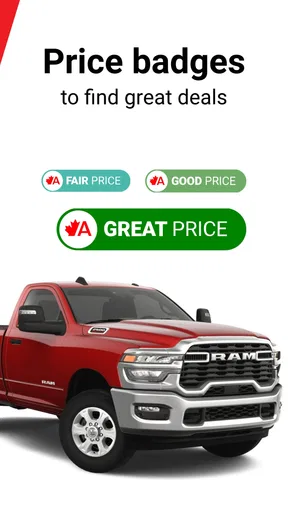
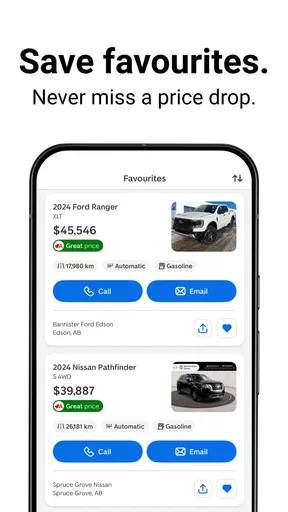
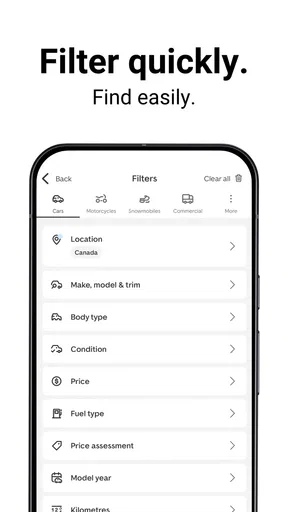
 Analysis by AppCompare
Buying a vehicle usually starts with a vague need rather than a clear decision: my current car is becoming unreliable, my family needs more room, or I simply want to understand what my budget can realistically buy. AutoTrader - Shop Cars Online is built for that early, slightly messy stage as much as for the final search. It gives me a place to browse vehicles, compare possibilities, and move from general interest toward a more focused buying or selling plan.
After spending time with it, I see the app as a practical tool for the Canadian car market rather than a complete replacement for every part of the purchase. It is free to download and sits in the Auto & Vehicles category, with Trader Corporation behind it. The app is rated 4.6 on average from around 76 thousand ratings, and its reach is substantial, with over one million installs. Those figures suggest that it has become a familiar starting point for many shoppers, but popularity does not remove the need to inspect listings carefully or verify the details of a vehicle independently.
From a vague car need to a manageable shortlist
My preferred way to use the app is not to open it and immediately scroll through everything. That approach creates too many attractive but unsuitable choices. I first decide what problem the next vehicle must solve. For example, if I need a dependable commuter, I think about body style, fuel expectations, acceptable mileage, and the maximum amount I can spend before I search. If I am replacing a family vehicle, interior space and practicality matter more than a tempting low price.
That preparation makes the browsing experience much more useful. Instead of treating every listing as a possibility, I can judge it against a short list of requirements. AutoTrader works best when I use it as a narrowing tool: begin broadly enough to understand the market, then become stricter as I learn what is actually available.
A realistic example would be someone whose older vehicle has started needing frequent repairs. They may not be ready to buy immediately, but they want to know whether a replacement fits their finances. I would begin by exploring several vehicle types, noting which models appear repeatedly, and then saving or revisiting the listings that match the intended use. That process can reveal an important trade-off: a newer vehicle may look attractive, while an older one with different mileage or equipment may offer a more realistic purchase path.
The app is also useful for sellers at this starting point. Before deciding on an asking price, I would look at comparable vehicles rather than relying only on what I originally paid. Comparing similar makes, models, ages, mileage levels, and locations helps establish a more grounded expectation. It does not guarantee that a vehicle will sell at a particular amount, but it gives the seller a better view of the surrounding market.
Search with a plan, not just a wish
The most valuable habit is to separate “interesting” from “suitable.” A listing may have attractive photographs or a low headline price, yet still fail because it is too far away, lacks an essential feature, or does not fit the total budget. I would keep a small note outside the app with non-negotiables and preferences. Non-negotiables might include seating capacity or a certain type of drivetrain; preferences could include colour, trim, or convenience equipment.
Worth Reading Before You Choose

EA SPORTS FC Mobile 26 Is a Bigger Football Game, but It Takes Time

Flipboard Shows What News Apps Must Do Beyond the Feed

Switching to Android Auto Means Rethinking Your Driving Routine

Google Calendar Makes a Crowded Week Easier to Manage

Ludo King Makes the Most of the Minutes Between Plans

Baby Panda World Brings Quick Play to Modern Phones, but Its Game Library Feels Busy
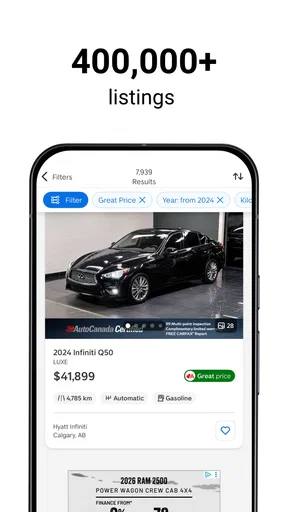
This also helps when the search becomes repetitive. Rather than opening the same kinds of listings without learning anything, I can adjust one condition at a time and see how the available choices change. That is a more disciplined workflow than searching by a single model name and assuming the cheapest result is automatically the best deal.
One useful insight is that the app can serve as a market-research tool even before I am ready to contact anyone. I can use it to understand how much variety exists in a particular area, whether my preferred vehicle is common, and whether relaxing one requirement creates better alternatives. For a first-time buyer, that learning stage may be more valuable than rushing toward a specific listing.
Inspect each listing as a handoff point
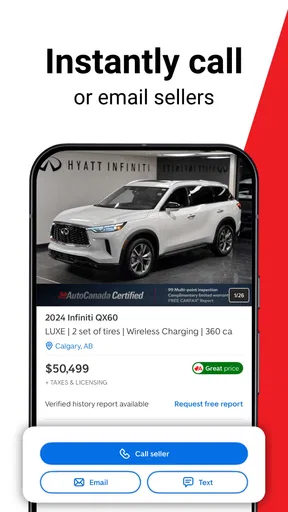
Once I find a promising vehicle, the job changes. Browsing is private and low-pressure; contacting a seller or dealer creates a handoff between the information shown in the app and the real-world transaction. I treat the listing as a starting document, not as proof that every important detail has been settled.
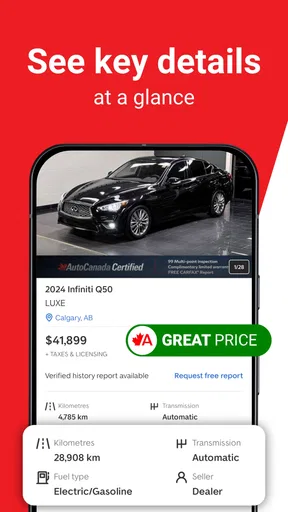
I would read the description slowly, check the photographs for consistency, and compare the visible condition with the claimed age and mileage. I would also write down questions before making contact. Useful questions might concern service history, ownership status, accident history, included equipment, and whether the vehicle is still available. Asking several clear questions at once reduces unnecessary back-and-forth and makes it easier to compare responses from different sellers.
This is where AutoTrader’s convenience has a limit. An online listing can organize information and help me discover options, but it cannot replace an inspection, a test drive, or the paperwork checks that belong to a serious purchase. I would never treat a polished listing as a substitute for confirming the vehicle’s condition in person or having a qualified mechanic examine it when the purchase matters financially.
The same principle applies when selling. A seller may use the app to reach interested shoppers, but a well-presented listing still needs accurate details and realistic expectations. Clear photographs, honest wording, and prompt replies make the handoff smoother. Overstating condition may attract attention initially, but it usually creates distrust when the buyer sees the vehicle.
Moving from browsing to conversations
The app is strongest when I use it to organize the transition from research to action. I might compare several similar listings, remove the ones that fail basic requirements, and then contact only the strongest candidates. This saves time and also improves the quality of the questions I ask, because I already understand how the shortlisted vehicles differ.
For buyers, the next step should be a calm conversation rather than an immediate commitment. I would confirm the vehicle’s availability, ask whether the displayed information is current, and arrange an opportunity to see it. I would also keep the financial side separate from the emotional appeal of a particular car. If the vehicle is perfect in appearance but stretches the budget too far, the app has not solved the buying problem; it has only made the temptation easier to find.
For sellers, the handoff works in the opposite direction. The listing begins as a controlled presentation, but enquiries quickly become individual conversations. The seller needs to be ready to answer questions consistently and to distinguish genuine interest from casual browsing. AutoTrader can bring the audience, but the seller still controls how clearly the vehicle is represented and how efficiently the conversation moves forward.
A practical tip is to keep a simple comparison record while browsing. I would note the listing location, asking price, mileage, notable equipment, and any concern that needs checking. This prevents a common mistake: remembering the attractive details of several vehicles while forgetting which one had a warning sign. It also makes negotiations more rational because I can compare the vehicle with alternatives rather than discussing it in isolation.
What outcome the app can realistically deliver
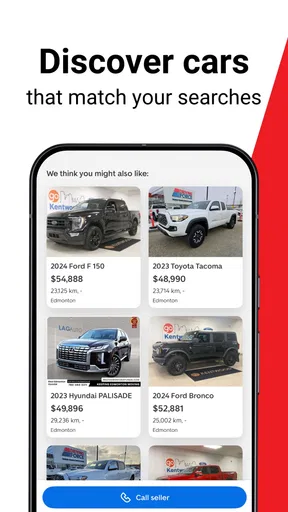
For a buyer, the best result is not merely finding a car. It is reaching a shorter, more credible list of vehicles worth inspecting. AutoTrader helps with that discovery stage by putting many possibilities in one place and making it easier to move between broad research and specific listings. I find that especially useful when I am unsure which model or price range makes sense.
For a seller, the outcome is improved exposure to people who are already thinking about vehicles. That can be more efficient than relying only on personal contacts or a paper notice, particularly when the seller wants to understand the wider market before setting expectations. Still, exposure is not the same as a completed sale. The condition, price, location, responsiveness, and buyer confidence all affect what happens after the listing is seen.
The app’s free price makes it easy to include in a car-shopping routine without committing money simply to explore the market. Its content rating is Everyone, so it is presented as a broadly accessible vehicle-shopping app. The current version is 26.34.6 and requires at least Android 9, which is worth checking before installing it on an older device. There are also in-app purchases listed at amounts ranging from $37.99 to $79.99 per item, so I would pay attention to any paid option before confirming it rather than assuming every part of the experience is cost-free.
Those paid options are an important point for anyone who only wants casual browsing. If my goal is to look at vehicles occasionally, the free access may be enough for the basic research workflow. If I am selling or seeking additional visibility, I would first decide whether the possible benefit justifies the extra cost. I would not spend automatically just because a paid option appears during the process; the right choice depends on how serious the sale is and how many suitable alternatives are already available.
Where the usual alternatives fit better
Compared with visiting individual dealership websites, AutoTrader offers a more centralized way to begin. That is helpful when I have not settled on a specific dealer or model. Instead of repeating the same search across many separate sites, I can use one vehicle-focused environment to develop a shortlist. The trade-off is that a centralized marketplace can feel less personal, and I still need to understand who is actually offering each vehicle and what the next steps will be.
Compared with social-media listings or informal local classifieds, the app feels better suited to structured comparison. Informal listings may produce a bargain, but they can also require more effort to judge the seller, the vehicle history, and the reliability of the description. AutoTrader is a better first stop when I value organized discovery and want a broader view before arranging meetings.
On the other hand, a local classified service may be preferable when I already know exactly what I want and am focused on nearby private sellers. A dealership’s own app or website may also be better once I have chosen a particular dealer and want its specific finance, service, or stock information. I would use AutoTrader for breadth, then move to direct channels when a particular vehicle or seller becomes the priority.
Another alternative is simply asking a mechanic or experienced friend for guidance. That personal advice can be more valuable than any search interface when I am unsure how to assess mechanical risk. My ideal workflow combines both: use the app to discover and compare vehicles, then use independent expertise to evaluate the finalists.
Where the workflow breaks down
The first weak point is information overload. A large marketplace can make the search feel productive even when I am not getting closer to a decision. If I keep changing filters, opening every appealing result, or chasing small price differences, the app becomes a source of distraction. The remedy is to set a stopping rule: once a few vehicles meet the essential requirements, stop browsing and begin verification.
The second weak point is the distance between a digital listing and the physical vehicle. Photos can hide wear, descriptions can be incomplete, and availability can change. I would confirm key details before travelling, especially if the seller is far away. A long trip based on an outdated listing is one of the easiest ways for the convenience of online shopping to disappear.
The third is budget confusion. The displayed vehicle price is only one part of ownership. Insurance, taxes, registration, financing costs, maintenance, fuel, and immediate repairs can change whether a vehicle is genuinely affordable. AutoTrader can help me locate candidates, but I still need a separate budget that includes the costs after the purchase.
The fourth is emotional pressure. A particularly attractive vehicle can make me lower standards that I considered important at the beginning. I would return to my original requirements before arranging a viewing and write down the reasons a vehicle might be rejected. That small pause helps prevent a visually appealing listing from taking control of the decision.
Sellers face their own friction. A listing may attract enquiries that are not serious, and answering them can take time. Paying for extra visibility may improve exposure, but it cannot correct an unrealistic price or unclear description. I would improve the listing itself before considering a paid upgrade, then judge whether the additional expense is justified by the value of the vehicle and the urgency of the sale.
Who should use it, and who should look elsewhere
I would recommend AutoTrader to someone beginning a Canadian vehicle search, especially a buyer who wants to compare models, prices, and locations before visiting sellers. It is also a sensible tool for a seller who wants a dedicated audience and prefers to research comparable vehicles before creating an asking price. First-time shoppers may find the broad marketplace useful because it exposes them to alternatives they would not discover by searching for one familiar model.
I would be more cautious about recommending it as the only tool for someone who needs expert mechanical advice, has a very strict local-only requirement, or already knows the exact dealership they intend to use. In those cases, a mechanic, a local classified service, or the dealer’s direct channel may provide a better second step. I would also skip relying on it alone if I am unwilling to inspect a vehicle, verify documents, and calculate total ownership costs.
My final view is that AutoTrader is most valuable as the middle layer between uncertainty and a real-world decision. It helps me move from “I need a different car” to “these are the few vehicles worth checking,” which is a meaningful improvement. The app does not remove the difficult parts of buying or selling, but it can make the discovery, comparison, and contact stages more organized.
The best results come when I use the app to narrow the field, not to switch off my judgement. I would search with clear requirements, record comparisons, ask focused questions, verify the listing in person, and keep the complete budget in view. Used that way, this free Auto & Vehicles app from Trader Corporation earns its place in my car-shopping routine without pretending that an online marketplace can replace careful inspection and sensible decision-making.
Pros
- Large selection of new and used vehicles from dealers and private sellers.
- Detailed listings include photos
- prices
- mileage
- and vehicle specifications.
- Search filters make it easy to narrow results by make
- model
- price
- and location.
- Saved searches and alerts help track newly listed cars matching your preferences.
- Dealer reviews and seller information can support more informed buying decisions.
Cons
- Listing quality and accuracy may vary between different sellers.
- Some vehicles may sell before you have time to arrange a viewing.
- Contacting sellers can sometimes lead to unwanted calls or messages.
- The app does not replace an independent inspection or vehicle history check.
- Availability and features may differ depending on your location.
FAQs for AutoTrader - Shop Cars Online
What is AutoTrader – Shop Cars Online used for?
AutoTrader – Shop Cars Online is a vehicle-shopping app that helps users browse new and used cars, compare listings, review pricing details, and contact sellers or dealerships. You can search by make, model, price, mileage, location, body style, and other preferences. It is designed to make research easier, although the final purchase, inspection, financing, and paperwork still need to be handled directly with the seller or dealer.
Can I trust the cars and sellers listed on AutoTrader?
AutoTrader provides listings from dealerships and private sellers, but the app should not be treated as a guarantee that every vehicle or seller is reliable. Listing quality, vehicle condition, pricing accuracy, and seller practices can vary. Before making an offer, check the vehicle history, confirm the VIN, arrange an independent inspection, verify ownership documents, and communicate carefully with the seller. Never send money without confirming the transaction is legitimate.
Does AutoTrader allow users to buy a car directly through the app?
The app primarily supports searching, comparing, and connecting with sellers rather than replacing the complete vehicle-buying process. Depending on the listing and location, you may be able to contact a dealer, request more information, schedule a test drive, or explore financing options. However, availability differs between sellers and regions. Always review the purchase agreement, fees, taxes, warranty terms, and financing conditions before completing a deal.
How can I find the right car using AutoTrader’s search tools?
You can narrow results by selecting criteria such as brand, model, model year, price range, mileage, fuel type, transmission, body style, distance, and seller type. More specific filters can save time, but overly strict settings may hide suitable vehicles. It is useful to compare several listings, examine photos and descriptions carefully, check how long a vehicle has been advertised, and save searches so you can monitor new or updated results.
Is AutoTrader – Shop Cars Online free to download and use?
The app is generally available to download without an upfront charge, and browsing vehicle listings is typically free. However, downloading the app does not mean that every service connected with a purchase is free. Dealers may apply fees, financing has its own costs, and optional services such as inspections, warranties, delivery, or registration may require payment. Check the listing and seller details carefully to understand the total cost before proceeding.


